Imagine a world where creating your own AI applications is as simple and intuitive as assembling a puzzle. No longer do you need an advanced degree in computer science or years of experience in programming to build something that can not only transform your business but also bring your innovative ideas to life. Welcome to the future, where building your own AI apps is accessible to everyone, regardless of technical know-how.
The New Era of No-Code Platforms
Gone are the days when coding was a barrier. With the advent of no-code and low-code platforms, the landscape of app development has drastically changed. These platforms offer drag-and-drop interfaces that allow users to create sophisticated applications without writing a single line of code. For instance, platforms like Bubble, Adalo, and Thunkable have enabled entrepreneurs and small businesses to build their own AI-powered apps efficiently.
These platforms are game-changers for non-technical users who want to delve into the AI space. Imagine you’re a small business owner wanting to create a chatbot to enhance customer service. With a no-code platform, you can easily integrate AI capabilities into your app, streamlining operations and improving customer interactions without needing to understand complex coding languages.
How No-Code Platforms Work
No-code platforms function by abstracting the underlying code into visual elements and pre-built modules. Users can select and customize these elements to design their applications. This approach democratizes app development, granting access to those who previously found the technical barriers insurmountable.
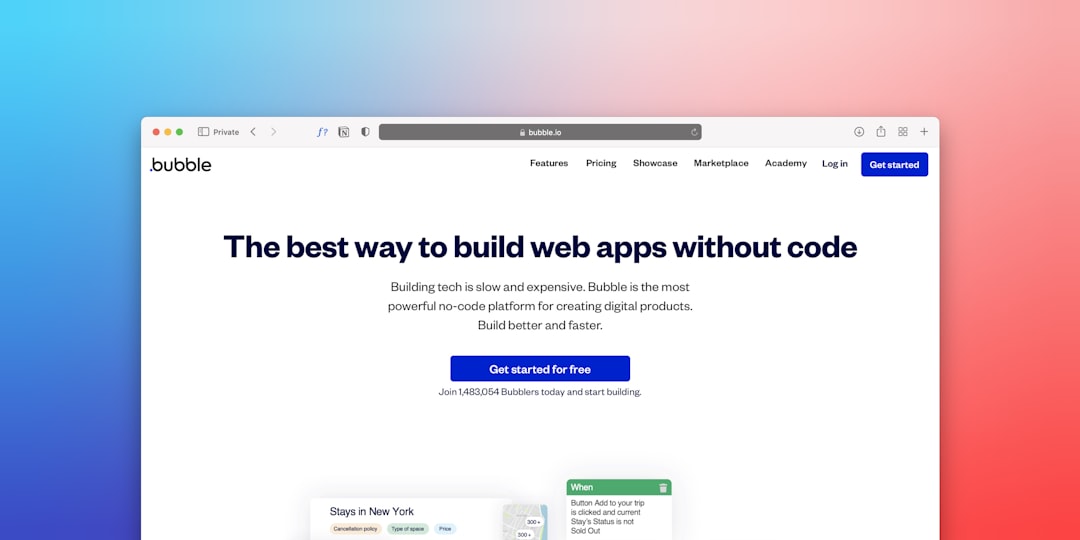
For instance, Bubble allows users to build web applications by manipulating visual components and defining workflows. Users can create dynamic content and interactions, akin to programming, but without delving into syntax and code logic. This not only speeds up development but also fosters creativity, enabling users to experiment with different app functionalities without fear of breaking the code.
Step-by-Step Guide to Building Your Own AI App
If you’re eager to get started, here’s a comprehensive step-by-step guide to help you navigate the process of building your AI app:
Step 1: Define Your App’s Purpose
Start by clearly defining what you want your AI app to accomplish. Are you looking to automate customer service, provide personalized recommendations, or analyze data? Having a clear goal will guide you in selecting the right tools and technologies.
Example: Suppose you’re in the healthcare industry and want to develop an app that predicts patient readmissions. Your app’s purpose is to analyze patient data and provide insights to healthcare providers, reducing readmission rates and improving patient outcomes.
Step 2: Choose the Right Platform
Select a no-code or low-code platform that aligns with your needs. For example, if your focus is on creating an AI-driven chatbot, platforms like Chatfuel or Landbot might be ideal. These platforms specialize in conversational AI and offer pre-built templates to expedite development.
Practical Step: Research various platforms to understand their strengths and limitations. Consider factors such as AI capabilities, user interface design options, and integration possibilities. Participate in free trials to get hands-on experience before making a decision.
Step 3: Gather and Prepare Your Data
AI apps rely heavily on data. If your app involves machine learning, ensure you have access to quality data. Use platforms like OpenAI‘s GPT-3 for natural language processing tasks or TensorFlow for more complex machine learning models. Preparing your data involves cleaning it and organizing it in a way that the AI can learn effectively.
Detailed Explanation: Data preparation is critical for AI model performance. This includes removing duplicates, handling missing values, and normalizing data. For example, if you’re using customer purchase history, ensure the data is consistent and formatted correctly to prevent skewed results.
Step 4: Design Your App’s Interface
Utilize the drag-and-drop tools provided by your chosen platform to design an intuitive and user-friendly interface. Remember, a good UI/UX design is crucial for user engagement.
Practical Tip: Focus on creating a seamless user experience. Use consistent colors, fonts, and navigation elements. Test different interface designs with potential users to gather feedback and make improvements.
Step 5: Implement AI Features
Integrate AI capabilities into your app. This could involve setting up chatbots, implementing recommendation engines, or integrating sentiment analysis tools. Many platforms offer built-in AI integrations, making this step straightforward.
Example: If you’re building a recommendation engine for an e-commerce platform, leverage AI to analyze user behavior and suggest products. Use machine learning models to understand purchasing patterns and preferences.
Step 6: Test and Iterate
Once your app is built, thoroughly test it to ensure all components work as expected. Gather feedback from potential users and make necessary adjustments. Iteration is key to refining your app and ensuring it meets user needs.
Detailed Approach: Conduct usability testing to observe how users interact with your app. Identify pain points and areas of confusion. Use A/B testing to compare different versions and determine which features resonate best with users.
Step 7: Launch and Monitor
Finally, launch your app and monitor its performance. Use analytics tools to track user interactions and app performance, allowing you to make data-driven improvements over time.
Practical Advice: Set up key performance indicators (KPIs) to measure success. Monitor metrics such as user retention, engagement rates, and conversion rates. Use this data to inform future updates and enhancements.
Real-World Examples of AI Apps Built by Non-Developers
Consider the story of Sarah, a marketing manager who wanted to leverage AI to enhance her company’s digital marketing strategy. With no prior coding experience, she used a no-code platform to build an AI app that analyzed customer data and provided personalized marketing strategies. This app not only boosted engagement rates but also increased sales by 30% within six months.
Case Study:
Sarah’s approach involved using a no-code platform to integrate AI-driven analytics. She utilized AI to segment her audience based on behavior and preferences, enabling her to create targeted campaigns. The result was a more efficient marketing strategy, resulting in higher customer satisfaction and increased revenue.
Another compelling example is Tom, a school teacher who created an educational app that uses AI to personalize learning experiences for students. By analyzing each student’s progress and learning style, the app offers tailored recommendations, helping students learn more effectively and efficiently.
Case Study:
Tom’s educational app transformed traditional teaching methods by providing personalized learning paths. He used AI to assess student progress in real-time, offering instant feedback and resources tailored to individual needs. This personalized approach not only improved student engagement but also led to significant improvements in academic performance.
Common Challenges and How to Overcome Them
While building your own AI app is more accessible than ever, it’s not without challenges. One common issue is data privacy. Ensure that your app complies with data protection regulations such as GDPR or CCPA. This involves implementing robust data encryption and user consent protocols.
Practical Step: Regularly audit your data handling processes to ensure compliance. Use encryption to protect sensitive information and provide clear privacy policies to users, ensuring transparency about data usage.
Another challenge is the quality of AI predictions. If your AI app is not performing as expected, revisit your data preparation and model training processes. Often, the quality of the data directly impacts AI performance, so consider augmenting your dataset or refining your AI model.
Detailed Advice: Conduct thorough validations of your AI models. Use cross-validation techniques to ensure robustness and accuracy. If predictions are inaccurate, analyze the data for biases or inconsistencies and adjust your models accordingly.
Leveraging AI for Business Growth
Building an AI app can significantly enhance your business operations. For instance, AI-driven apps can automate repetitive tasks, analyze large volumes of data more efficiently than humans, and provide insights that drive strategic decision-making.
Example: In the retail sector, AI can optimize inventory management by predicting demand patterns. This reduces overstock and stockouts, leading to improved customer satisfaction and profitability. Similarly, AI-powered chatbots in customer service can handle common inquiries, freeing up human agents to focus on more complex issues.
The Importance of Continuous Learning
As you embark on your journey to build your own AI app, it’s essential to commit to continuous learning. The field of AI is rapidly evolving, with new tools and technologies emerging regularly. Stay informed by engaging with online courses, webinars, and AI communities.
Practical Steps: Regularly engage in learning opportunities such as online courses on platforms like Coursera, Udemy, and LinkedIn Learning. Join AI-focused forums and communities to exchange ideas and stay updated on industry trends.
Future Trends in AI App Development
Looking ahead, the future of AI app development is promising. Emerging trends such as AI democratization, where AI tools become increasingly accessible, will continue to lower the barrier to entry. Moreover, advancements in natural language processing and computer vision will enable more sophisticated and intuitive AI applications.
Futuristic Example: Imagine developing an app that uses AI to provide real-time language translation, breaking down communication barriers globally. As technology advances, the scope for innovation grows exponentially, offering endless possibilities for creative solutions.
Actionable Takeaways
Building your own AI app is within reach, even if you lack a technical background. Here are some actionable takeaways to get you started:
1. Define Your Objective: Clearly articulate the problem your AI app will solve.
2. Choose the Right Tools: Select a no-code or low-code platform that aligns with your goals.
3. Focus on Data Quality: Ensure you have access to high-quality data for effective AI training.
4. Design with Users in Mind: Create an intuitive and engaging user interface.
5. Test and Iterate: Continuously improve your app based on user feedback and performance data.
By following these steps and leveraging the power of no-code platforms, you can unlock the future and bring your unique AI app ideas to life. Embrace the opportunity to innovate and transform your vision into reality, contributing to the ever-evolving digital landscape.